
What is SASE (Secure Access Service Edge) and How Can It Benefit My Business?

What are the advantages of SASE (Secure Access Service Edge) over other security options?

SASESecure Access Service Edge (SASE) is a cloud-based network security solution that combines wide area networking (WAN) capabilities with comprehensive security features such as secure web gateways, firewall as a service, and zero-trust network access. SASE is designed to provide organizations with a flexible and scalable network security solution that can adapt to changing business needs.

Here are some of the advantages of SASE over other security options:

  1. Simplified Infrastructure: One of the primary advantages of SASE is that it simplifies the security infrastructure of an organization. SASE replaces multiple security solutions with a single cloud-based solution that is easier to manage, monitor and maintain.
  2. Cloud-based: SASE is a cloud-based security solution, which means it can be deployed and managed from anywhere. This is particularly beneficial for companies with remote employees, as it allows them to access resources from anywhere while maintaining high levels of security.
  3. Scalability: SASE is highly scalable, which means it can grow as your business grows. This allows organizations to easily accommodate new users, applications and devices as they are added to the network.
  4. Cost-effective: SASE is a cost-effective solution compared to other security options. It eliminates the need for multiple security solutions, which reduces the overall cost of security infrastructure.
  5. Improved Security: SASE provides a comprehensive security solution that includes secure access to applications, data and other resources, as well as network security and threat prevention. It also provides advanced features such as zero-trust access, multi-factor authentication and real-time threat detection and response, which improve overall security posture.
  6. Compliance: SASE helps organizations meet compliance requirements by providing security controls that are auditable, trackable, and compliant with various regulations and industry standards.

Overall, SASE offers several advantages over traditional security options by providing simplified infrastructure, cloud-based deployment, scalability, cost-effectiveness, improved security, and compliance.

Will SASE save me money?

Whether SASE will save money for an organization depends on various factors, including the size of the organization, the complexity of its network infrastructure, the level of security required, and the existing network security solution in place.

SASE has the potential to reduce costs by eliminating the need for separate network and security solutions and consolidating them into a single cloud-based platform. This can reduce the cost of hardware, software licenses, and maintenance, as well as simplify management and reduce the need for IT staff.

In addition, SASE can enable organizations to adopt a pay-as-you-go model, allowing them to scale their network security solutions as needed without incurring significant upfront costs.

However, it’s important to note that the cost savings of SASE will vary depending on the specific needs of the organization and how effectively the solution is implemented and managed. Organizations should conduct a cost-benefit analysis and consider factors such as the initial investment, ongoing maintenance, and potential productivity gains when evaluating the ROI of SASE.

If you’d like more information about SASE, fill out the form on this page and someone will get back with you.


The Benefits of Cloud-Based Unified Communications

More and more businesses are seeing the increased productivity and cost savings of the new work-from-home and hybrid work business model. Most of these savings and benefits are made possible by cloud-based Unified Communications.

As businesses closed their offices, globally, cloud UC went from a fast-growing sector of the economy to one that is indispensable for business, providing increased productivity and improving the customer experience. With more companies deploying a remote workforce, it’s important for businesses to utilize cloud based unified communications.

What is Cloud-Based Unified Communications?

Cloud UC provides all of the same applications as traditional UC except that it’s delivered as a cloud-based service, as opposed to needing on-premise telephone equipment.

Cloud UC services are hosted by third-party service providers. These providers provide value and ensure a high-quality user experience with video, VoIP, and real-time communication services. Many providers also package cloud UC applications with SD-WAN and network services so that remote users get more consistent and predictable performance across the globe.

A recent survey found that the top challenges with UC today are network performance management and global service consistency. A global network service provider’s overall management of their application, including 100% in-sequence packet delivery, delivers the total package for ensuring high-performing UC application performance worldwide.

What are the Benefits of Cloud-Based UC?

The majority of the benefits of cloud-based UC are related to remote work enablement, hence, the huge surge of cloud UC amid COVID, providing flexibility, and cost savings to businesses.

Remote Work

Cloud UC allows anyone to work efficiently anytime, from anywhere. Employees are no longer tethered to a physical desk in an office, and that’s opened the floodgates for remote and hybrid work for businesses around the world. Gartner and others suggests that between 22-51% of the U.S. workforce will continue working from home in some capacity through 2025 as the covid pandemic runs its course. Even then, remote work will likely remain an important part of how organizations do business.

The Flexibility of Cloud UC

Cloud UC allows people to work with more flexibility with cloud-based communication and collaboration capabilities. Employees can quickly launch video meetings anytime, anywhere from within one simple app. They can make and receive calls regardless of where they are, what device they’re using, or what form of communication works best for them. In short, cloud UC gives users the freedom they have needed for being productive in a way that works best for them.

Cost Savings

Companies can save with cloud-based UC in a few ways. On the capital expenditure side, research shows businesses can save about $11,000 annually for each employee that works remotely – and those numbers are based on part time employment. On the operating expenditures side, cloud UC allows companies to reassign IT staff to other business goals and objectives. On-premise equipment maintenance costs are also rising. Companies with less than 1,000 users and one single provider save nearly $700 per user license when they switch to cloud UC. Unlike premise-based solutions, upgrades and refreshes are already included in the cost of your cloud UC system.

With cloud-based UC, services are software-driven, meaning features are infinitely customizable to meet the growing and changing needs of your business. In other words, you can use Application Programming Interfaces, or APIs, to extend your UC functionality into different business apps and workflows. You can also add automatic speech recognition and virtual agent services so that customers can navigate menus and services by simply speaking to a sophisticated AI-powered engine. The options to customize are seemingly endless.

If you’d like more information about Cloud-based Unified Communications, fill out the form on this page and one of our representatives will get back with you.

8 Ways SD-WAN Improves Your Network

SD-WAN securely connects multi-location businesses to enable high performance and reliable connections to cloud services for data centers and branch locations. SD-WAN aggregates bandwidth more effectively while providing greater control over the prioritization of applications at a considerably lower cost than traditional WAN solutions.
Here are 8 ways in which SD-WAN improves your network:

  1. SD-WAN gives essential applications, like VOIP services, priority over less important applications.
  2. SD-WAN saves money on access by tying together multiple low-cost bandwidth options and preventing downtime for users. A small business can lose a significant amount of money and large businesses even more.
  3. SD-WAN increases network security and data privacy with advanced included features.
  4. SD-WAN works across any combination of internet connections, allowing users to combine access types and achieve redundancy and increased bandwidth.
  5. SD-WAN dynamically optimizes traffic over multiple links. If one circuit is problematic, SD-WAN will automwatically use another, without interruption or requiring human intervention.
  6. SD-WAN gives you full control over policy decisions, like restricting access to certain websites and services, while ensuring bandwidth is available for business critical services.
  7. SD-WAN is fast and simple to deploy with zero touch provisioning. SD-WAN can be deployed in days, not weeks or months so your company can rapidly on-board new applications without the need for significant service updates typically required by MPLS.
  8. SD-WAN ensures uptime and redundancy and failover when using multiple access connections. It is simpler and more cost-effective than traditional WAN deployments.

SD-WAN solves connectivity challenges common to businesses everywhere, from poor application performance to outages. If you’d like more information on SD-WAN, fill out the form on this page and one of our representatives will get back with you quickly.

What is Puppet Software Consulting?

Wheelhouse Solutions provides Puppet® Consulting allowing us to work with our clients to apply advanced development methodologies, in order to deploy IT infrastructure, through the feature-rich and intuitive Puppet® software interface.

Our Puppet® Consulting & Installation Services Include:

  • Consulting and technical resources to assist you in rapidly deploying and implementing Puppet Enterprise into your IT environment
  • Designing Puppet Enterprise® so that it’s configured to meet your company’s IT management and automation goals
  • Providing Technical training to your IT staff, to ensure they are equipped to utilize Puppet® to automate IT infrastructure
  • Subcontracting our consultancy services so that Puppet® Consulting can be added to your services offering

Easily Model & Manage Your IT Environment

Puppet Enterprise® allows you to manage your entire IT infrastructure, in code format, without hiring additional staff. Puppet® allows you to use the same tools that developers use, such as version control, automated testing, code review and continuous integration and automated deployment. Having the ability to see your infrastructure as “code” makes it easier for devOps and QA teams to collaborate, across your organization. Simply put, Puppet Enterprise® allows your IT staff to maximize the speed of deployments and improve software quality.

Intuitive Visual Workflows

Puppet® allows your IT staff to deploy phased infrastructure and application bundles using comprehensive visual workflows. Puppet® automatically assigns the correct order of operations, what data needs to be securely exchanged between services, and when to wait for a service to become available before continuing the deployment.

With intuitive graphical reporting, your IT staff can easily determine how your infrastructure and applications are configured, as well as the relationships and dependencies with other software applications. Your staff can quickly discern what changed, in real time, which employee made the change and what caused the issue, including whether it was accidental or intentional. Puppet® allows you to troubleshoot your IT environment much more quickly, minimizing issues and reducing mean time to recover.

Automate Your IT Environment with Puppet

If your network device has an IP address, it can be quickly and easily automated using Puppet Enterprise®. Puppet Enterprise® provides your IT environment with a common language so that, no matter what software you’re running, and where it runs, Puppet® can deliver and operate all of your devices and applications.

Puppet Enterprise® Capabilities

  • Automated provisioning – Automate provisioning across your heterogeneous infrastructure
  • Orchestration – Orchestrate change with control, visibility, and automated intelligence
  • Configuration automation – Define and continually enforce infrastructure configurations
  • Situational awareness – Gain insight into your infrastructure, audit changes and get rich reporting
  • Code management – Manage infrastructure code across environments
  • Node management – Save yourself the manual work of classifying and managing nodes
  • Role-based access control – Assign permissions to teams in line with company and regulatory policies
  • Discovery & insights – Quickly discover resources that need automated management

Puppet® software allows system administrators the operational efficiency, insights, and agility they need to proactively manage today’s dynamic IT infrastructure, scaling from tens of servers to hundreds, both in the cloud and on-premise. Thousands of the world’s largest organizations utilize Puppet® software to manage and configure their IT environment.

In addition to Puppet® Consulting, WheelHouse Solutions also provides Puppet® installation, Puppet® configuration, Puppet® support, Puppet® troubleshooting services, Puppet® emergency help and Puppet® remote support. We invite you to fill out the form on this page or call us at 314-492-2506 to find out more about our Puppet® consulting services and one of our representatives will get back with you, quickly.

Assigning Priorities to Your Upcoming IT Upgrades

No matter how much a company spends on technology and equipment, those solutions are not meant to last forever and have an anticipated lifecycle. Even after significant investments in technology in your organization, you may have noticed that those solutions are no longer as effective as they once were. Competitors are leveraging new technologies to better serve their clients and you’re getting left in the dust. Sounds like it might be time to implement some upgrades.
As a result, it’s critically important that you plan your IT modernization activities using at least one of these principles.

Simplify & Streamline the Design

In many cases, older IT solutions are a mixed menagerie of various technologies, frequently designed with a very simple modular focus – one or two processes can be accommodated, but only as long as the focus of the business does not shift.

Modern IT solutions are systems that are primarily engineered on standardized components and languages, so that they can be easily leveraged to use application programming interfaces (or APIs) in order to facilitate multiple processes running at the same time. In addition, modern IT networks and solutions can be used to implement advanced processes, like artificial intelligence and machine learning. These capabilities allow employees to service customers more easily, improving customer satisfaction and enhancing employee skills, by exposing them to advanced IT technologies.

Prioritize Employee Benefits and Added Value

One of the most significant benefits of any modernized IT network is the improved value that network users will experience due to upgrades and investments being made. With the latest in network solutions, your business can now deliver a level of customer service by leveraging the solutions that are available to you through a modernized network solution.

Automation is a large part of this because if you aren’t reducing the number of tasks that your employees need to complete in order to grow your company, you may find it difficult to improve their productivity. For this reason, it’s important that your IT products and solutions provide value to your employees that also translates into operational benefits for the business.

Adhere to Company Culture

When developing the IT technology upgrade policy that will best grow your company, it can be helpful to understand how that technology will fit into your organization’s culture. At the same time, you must also ensure that your staff is prepared to implement the changes you’re making across the IT environment. One part of the upgrade should stipulate that you communicate the changes up front, along with your expectations that they will be implemented.

It will also help to rely upon those employees who are most receptive to the changes, who will fully utilize the upgrades and can be considered a source of valuable information should others in the business require assistance. Are there any problems or issues of which management is unaware? Utilizing these receptive employees to understand the culture within your business will help to inform future decisions on technology enhancements and upgrades.

If you’d like more information on planning and upgrading your IT network, we invite you to fill out the form on this page and someone will get back in touch with you soon.

Five Benefits of Managed Cloud Services

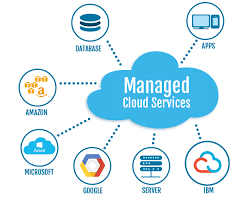
Managed Cloud Services are helping companies optimize and streamline the management of their mission-critical applications and data. With managed cloud services, businesses can outsource scheduled maintenance, patches, software updates and management of their IT infrastructure, enabling their IT staff to focus on other business-critical objectives.

WheelHouse Solutions provides fully managed IT infrastructure and applications, in cloud-enabled environments. By utilizing our managed cloud services, businesses can enjoy the best of class service, rapidly provisioned hardware, middleware and outstanding support to meet their IT demands.

As one of St. Louis, Missouri’s premier providers of managed cloud services, WheelHouse Solutions also offers cloud hosting services, as well as a team of cloud service specialists to help our customers effectively manage their IT infrastructure.

Managed Cloud Services Options from WheelHouse Solutions

  • Colocation Services that provide reliable, enterprise-class hosting for businesses, ensuring dependable environments to protect and ensure the continuity of business-critical applications, network services, and digital assets.
  • Managed Application & Middleware Server services that offer implementation, configuration, monitoring, maintenance, upgrades and patches for application/middleware servers hosted at WheelHouse data centers.
  • Managed Database Services that include implementation, administration, support, maintenance and data optimization, as well as reliable disaster recovery services.
  • Managed Network Services, including data protection and disaster recovery solutions that minimize downtime, allowing your IT staff to focus on mission-critical needs.
  • Managed Security Services that provides network intrusion prevention and detection, real-time log flow analysis, vulnerability assessments and 24/7/365 monitoring and management.
  • Managed Server Services that provides a scalable and reliable physical server, as well as VM management services that ensure your servers are running at peak performance.
  • Managed Storage Services include reliable and resilience storage capabilities to protect and recover your data more quickly.
  • Managed Web Server Services that include implementation, configuration, maintenance, monitoring upgrades and patches of Web servers hosted within WheelHouse data centers.

Benefits of WheelHouse Solutions Managed Cloud Services

  • Your employees can work more efficiently, focusing solely on your business objectives, rather than on IT related tasks
  • Your company can scale its IT infrastructure, quickly and easily, to meet your current demand, while ensuring that your applications perform reliably in the cloud
  • Managed Cloud Services can lower your IT costs, by reducing or eliminating out-of-pocket expenses, in addition to reducing the cost of heating, cooling, and real estate
  • With Managed Cloud Services your business retains control over your resources, hardware, and bandwidth while outsourcing the problem-solving to the cloud services experts at WheelHouse solutions
  • Your organization can utilize the cloud to ensure security, compliance and operational standards of excellence, within your industry.

WheelHouse Solutions can provide Managed Cloud Services for your business.  We invite you to click here or call 314-492-2506 to request additional information about our Managed Cloud Services. We’ll work with you to develop a solution that will meet your needs now, as well as provide for future growth and flexibility.

Are Managed Help Desk Services Right For Your Business?

St. Louis Help Desk ServicessWheelHouse Solutions’ help desk solutions allow your business to provide 24/7/365 help desk services while leaving the help desk management to us, so as not to take up the valuable time of your IT staff. WheelHouse Solutions offers both shared and dedicated help desk options, for our clients, and our partners’ clients.

Shared Help Desk Solutions

Our shared help desk solutions allow multiple clients to share the same resources. WheelHouse Solutions’ help desk agents have access to multiple ticketing systems and can follow procedures that are defined by each customer. Our professional help desk agents handle calls from many different customers, and always provide a friendly help desk support experience for all of our users, at all times.

Dedicated Help Desk Solutions

Our dedicated help desk solutions allow our clients to have a specific staff of agents, who handle their help desk calls and can range from simple call logging to full management of issues, including interacting with third-party vendors, on their behalf.

Benefits of Help Desk Outsourcing

  • Single Point of Contact for All Calls
  • Improved Levels of Customer Service
  • Frees Up Internal IT Resources for Other Projects
  • Significant Cost Reduction, vs in-house Help Desk
  • Expanded Hours of Help Desk Operation
  • Experienced and Professional Help Desk Employees
  • Fully-Documented Procedures with Custom-tailored Escalation Process
  • Accurate and Timely Reporting

Why Outsource Your Help Desk to WheelHouse Solutions?

Outsourcing your help desk is a great way to employ additional resources at a low cost and low risk to your business. When you outsource your help desk to WheelHouse Solutions, you are not constrained by employee limitations. Help desk outsourcing is a low-cost, low-risk way to employ additional human resources to your business, without the cost of hiring additional employees.

Help Desk Support That’s Tailored to Your Business

Our help desk outsourcing solutions allow your company to deploy an experienced support team, without hiring additional employees, saving you time and money. We’ll create work tickets, coordinate with the appropriate personnel, within your company, open trouble tickets with third-party vendors, where applicable, and resolve the trouble tickets, as quickly as possible. You can rest assured that our experienced agents will handle every call promptly and with the utmost in professionalism.

Each of our plans is flexible, allowing our clients to configure the best solution to meet their business needs. Because you are only paying for the time that our agents spend providing customer support, you can avoid the high cost of increasing your staff or paying overtime. You can outsource all of your help desk support to WheelHouse Solutions or we can augment your current staff – we can tailor a solution to meet the specific needs of your business.

Benefits of Our Help Desk Monitoring & Ticketing

There are many reasons to outsource your help desk services to WheelHouse Solutions. Below are just a few:

  • Based in the United States
    We never outsource calls overseas. You can rest assured that your help desk issues will be handled by a professional agent, who is highly trained and based in North America.
  • 24 Hour Support
    Our doors are always open. We provide help desk support 24 hours a day, 365 days a year, allowing our customers to have peace of mind.
  • Friendly Service
    All of our help desk agents receive thorough training so that users have a pleasant, professional help desk experience.
  • Competitive Pricing
    WheelHouse Solutions offers flexible pricing options, on help desk outsourcing, allowing our clients to configure the solution that works best for their business.
  • Tracking and Notifications
    WheelHouse Solutions utilizes intuitive, integrated software, allowing us to communicate with our users via text message, email, telephone or even fax, regarding the status of their ticket.
  • Flexible & Efficient Automation
    WheelHouse Solutions utilizes advanced technology to effortlessly route your call to the appropriate live agent, for resolution.

WheelHouse Solutions provides Managed Help Desk Services for all types of businesses. We invite you to call us at 314-492-2506 or fill out the form on this page and we’ll work with you to develop a solution that will meet your needs now, as well as provide for future growth and flexibility.

What, Exactly, is the “Internet of Things”?

One of the most popular buzzwords in tech today is the “Internet of Things” (IoT) but what exactly is it referring to? This week, we’ll explain the very basics of IoT and how it will continue to transform the way we communicate and conduct business in the 21st century.
The phrase “Internet of Things” was first coined in 1999 by Kevin Ashton, executive director of the Auto-ID Center at MIT, and referred to the myriad of devices that would eventually be connected to the internet. In summary, the “internet of things” is the natural evolution of the network, whereby smart objects on the network have the ability to collect data, in addition to users having the ability to connect to those devices and issue commands, such as remotely setting a home or business’ security system or setting a home DVR to record a television show, from a remote location, miles away.

Today, the “Internet of things” includes mobile phones, tablet computers, cars, fitness trackers, refrigerators, security systems and light bulbs, just to name a few. All of these devices collect data and exchange it through dedicated sensors, over the internet. In 2010, there were over 12.5 billion devices connected to the internet, even though the worldwide population was only 6.8 billion, marking the beginning of “the Internet of Things” – where devices on the network outnumber human beings on the network.

The following are some of the ways that IoT will make our lives easier:

Medical Monitoring

Healthcare providers will have the ability to monitor patients without visiting them in person, reducing healthcare costs and significantly reducing the risk of errors and omissions. Medical devices may even, at some point, have the ability to administer medication, ensuring the patient is always comfortable, even when a doctor cannot be immediately reached. There are a myriad of ways that IoT will help modern medicine make significant advances. Google, for example, is currently working on a contact lens that has the ability to measure glucose, making life easier for diabetics.

Autonomous Vehicles

Self-driving cars may be the most cutting edge example of IoT. You can now buy a car that will drive you to and from work, suggest potential shortcuts based on real-time traffic conditions, notify you of weather forecasts and even suggest what type of music you might like to listen to on the commute. It’s only a matter of time before these vehicles are the rule, rather than the exception.

Smart Housing

Some cutting edge examples of smart housing include sensors that can detect human behavior and adjust the mood of the house accordingly by dimming lights and putting on soothing music, for example. Other examples may include the ability to draw a hot bath for the owner or brew a pot of coffee, automatically, based upon user input.

Sales Analytics and Distribution

Manufacturers can benefit from IoT by tracking their product from the initial sale to production to shipment, all while monitoring parts inventory levels and benefiting from AI that automatically orders new parts, as stock runs low, before any employees are even aware of the issue.

As is the case in every technical revolution, the “IoT” may mean that certain tasks are handled by automation, allowing businesses to prosper in an age of Artificial intelligence and internet connectivity. If you would like more information about IoT, including which IoT platforms would best suit the needs of your product or solution, we invite you to fill out the form on this page and someone from our offices will get back with you.

Microsoft Project Online Increases Collaboration and Productivity Throughout Your Business

Microsoft Project Online is simple and flexible solution for project portfolio management (PPM), and other various forms of internal and external work processes. It works through Microsoft 365, and provides teams with the ability to plan, prioritize, and manage projects and other portfolio investments, from practically any device. It can be easily accessed by administrators, portfolio managers and viewers, team members, and project/resource managers.

Project Online is simple to use because of integrated, useful functionality provided by the application. Portfolio values can increase, through tools provided, allowing users to strategically evaluate project portfolios and make strategic decisons based upon the data. The program offers tools for time and task management, scheduling, and resource assignments, all of which allow employees to easily cllaborate and track progress. Visualizing data, to gain insight from projects, programs and portfolios, can be done through built-in reports and BI tools.

Collaboration between employees can be easily accomplished with the use of Project Online, as well. Skype for Business and Yammer work seamlessly with Project Online, which allows for more team participation. These integrated communication tools allow users to work together using video chat, voice chat, or instant messaging, within a project. Different teams can also submit project ideas with Office programs such as Outlook and SharePoint, so that a portfolio can be influenced by all different types of employees within an organization.

Project Online also includes powerful features such as point-and-click reporting capabilities and summary dashboards, that allow users to gather immediate insight about the portfolios. Project resources can even be consolidated into a single view, so that resource managers can compare other resources, across standardized data. In terms of resources, the Resource Engagement feature allows resource managers to respond to resource requests, based on availability across a portfolio.

Visual tiles provide easy navigation of the Microsoft Project & Portfolio Management functionality, allowing employees to quickly identify the important steps for managing project portfolios. And becasue it’s a Micrososft application, there’s a familiar interface, consisitent with other Microsoft 365 applications, so users will already be familiar with it if they’ve used other MS products. Users can also use most web browsers and devices to access, edit, submit, and collaborate on projects and portfolios.

Because Project Online is delivered through the cloud, it’s always up-to-date with the latest features, tools, patches and updates directly from Microsoft. Your IT staff won’t have to worry about costly upgrades, saving your business time and money. The program also comes with a 99.9% uptime guarantee, which includes continuous data back-up, disaster recovery, and data centers around the world, ensuring the safety and integrity of your business data. Project Online includes 24/7 IT support from Microsoft, allowing users to keep their business moving forward, while freeing up time for IT personnel to work on other IT issues within the company.

Microsoft Project Online is the perfect addition to any business or organization. Not only does it provide innovative tools and features that enhance productivity, there are also flexible collaboration tools that can be used with the different projects and portfolios.

Headquartered in St. Louis, Missouri, WheelHouse Solutions can assist you in getting started with Microsoft 365 or any of the suite of Microsoft products and services. We’ll work with you to analyze your needs and recommend a strategy that’s custom designed for your business. If you would like more information about Microsoft 365, call us at 314-492-2506 to speak with one of our knowledgeable sales representatives.

Move Your SQL to the Cloud With Microsoft Azure SQL

Move Your SQL to the Cloud With Microsoft Azure SQL When anyone refers to Azure SQL, they’re actually referring to SQL in the cloud. There are three main deployment options when it comes to Azure SQL.

The first type is an Infrastructure as a Service (IaaS) solution which consists of SQL server running on an Azure Virtual Machine. Azure will manage the infrastructure and the host, while the customer manages the OS and the SQL server instance.

This is a good option for customers with expiring hardware contracts, or older versions of SQL 2008 R2. It’s an option that allows the customer to select the version of SQL that they need on the OS that they want. By moving to an Azure Virtual Machine, you also get free, automatic security updates, and can set up automated backups, as well as have point-in-time restore.

The second option is Azure SQL Server Managed Instance, which moves one more level towards a Platform as a Service (PaaS) offering. Azure manages the infrastructure and the OS, while the customer manages the server. Azure SQL Managed Instance is a step further towards cloud migration. Its main benefit is to remove management overhead regarding infrastructure, Server, and Database. Also, this benefits customers that have a need for instant scope features like service broker, SQL server agent, Machine Learning, and CLR.

One of the key features of Managed Instance is getting a SQL server instance with the full feature set, but with additional PaaS managed capabilities. Online Migration allows you to do a fairly seamless migration from your on-premise environment by using backup and restore and log shipping technology.

The Third offering is Azure SQL Database, wherein Azure manages the infrastructure, the OS and the SQL server and the customer is responsible for administration of the database. Azure SQL Database is built to develop modern cloud apps and Software as a Service applications. It can help customers quickly and easily scale their computing capabilities and storage. With Azure managing the SQL server, customers can focus on database management, using features like elastic pools, which lets you manage groups of shared databases. Hyper scaling can provide the maximum size and performance for large scale applications. Serverless computing also lets you pause SQL server and pay only for usage. It provides the most flexibility out of the managed service capabilities, allowing it to easily interact with other Azure managed services.

With Microsoft Azure SQL, you get a unified experience across your entire SQL portfolio and a full range of deployment options, from edge to cloud. Intelligent and secure Azure SQL database services make it easy to:

  • Migrate your SQL workloads with SQL Server on Azure Virtual Machines.
  • Modernize your existing applications with Azure SQL Managed Instance.
  • Support modern cloud applications with Azure SQL Database.
  • Use your existing SQL skills in the cloud on the same SQL Server engine.
  • Keep making the most of your current license investments.

If you would like more information on Microsoft Azure SQL, fill out the form on this page and one of our Microsoft Azure specialists will get back with you to discuss your options and how Microsoft Azure SQL can enhance your business operations and improve your bottom line.