
What is SASE (Secure Access Service Edge) and How Can It Benefit My Business?
What are the advantages of SASE (Secure Access Service Edge) over other security options?
 Secure Access Service Edge (SASE) is a cloud-based network security solution that combines wide area networking (WAN) capabilities with comprehensive security features such as secure web gateways, firewall as a service, and zero-trust network access. SASE is designed to provide organizations with a flexible and scalable network security solution that can adapt to changing business needs.
Here are some of the advantages of SASE over other security options:
- Simplified Infrastructure: One of the primary advantages of SASE is that it simplifies the security infrastructure of an organization. SASE replaces multiple security solutions with a single cloud-based solution that is easier to manage, monitor and maintain.
- Cloud-based: SASE is a cloud-based security solution, which means it can be deployed and managed from anywhere. This is particularly beneficial for companies with remote employees, as it allows them to access resources from anywhere while maintaining high levels of security.
- Scalability: SASE is highly scalable, which means it can grow as your business grows. This allows organizations to easily accommodate new users, applications and devices as they are added to the network.
- Cost-effective: SASE is a cost-effective solution compared to other security options. It eliminates the need for multiple security solutions, which reduces the overall cost of security infrastructure.
- Improved Security: SASE provides a comprehensive security solution that includes secure access to applications, data and other resources, as well as network security and threat prevention. It also provides advanced features such as zero-trust access, multi-factor authentication and real-time threat detection and response, which improve overall security posture.
- Compliance: SASE helps organizations meet compliance requirements by providing security controls that are auditable, trackable, and compliant with various regulations and industry standards.
Overall, SASE offers several advantages over traditional security options by providing simplified infrastructure, cloud-based deployment, scalability, cost-effectiveness, improved security, and compliance.
Will SASE save me money?
Whether SASE will save money for an organization depends on various factors, including the size of the organization, the complexity of its network infrastructure, the level of security required, and the existing network security solution in place.
SASE has the potential to reduce costs by eliminating the need for separate network and security solutions and consolidating them into a single cloud-based platform. This can reduce the cost of hardware, software licenses, and maintenance, as well as simplify management and reduce the need for IT staff.
In addition, SASE can enable organizations to adopt a pay-as-you-go model, allowing them to scale their network security solutions as needed without incurring significant upfront costs.
However, it’s important to note that the cost savings of SASE will vary depending on the specific needs of the organization and how effectively the solution is implemented and managed. Organizations should conduct a cost-benefit analysis and consider factors such as the initial investment, ongoing maintenance, and potential productivity gains when evaluating the ROI of SASE.
If you’d like more information about SASE, fill out the form on this page and someone will get back with you.
 More and more businesses are seeing the increased productivity and cost savings of the new work-from-home and hybrid work business model. Most of these savings and benefits are made possible by cloud-based Unified Communications.
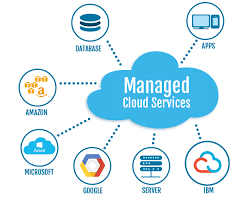 Managed Cloud Services are helping companies optimize and streamline the management of their mission-critical applications and data. With managed cloud services, businesses can outsource scheduled maintenance, patches, software updates and management of their IT infrastructure, enabling their IT staff to focus on other business-critical objectives.
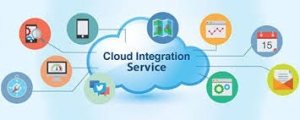 WheelHouse Solutions works with companies, nationwide, allowing them to move some of their workloads to cloud platforms. Selecting one application to evaluate its cloud portability, is simple. If there are no significant changes to the architecture, WheelHouse will assess the compliance requirements and security, and then “lift and shift” the application to the cloud.
 Microsoft Project Online is simple and flexible solution for project portfolio management (PPM), and other various forms of internal and external work processes. It works through Microsoft 365, and provides teams with the ability to plan, prioritize, and manage projects and other portfolio investments, from practically any device. It can be easily accessed by administrators, portfolio managers and viewers, team members, and project/resource managers.
 Technology has become an essential factor in almost every business operation and now business owners are looking for ways to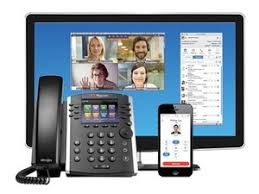
 A recent article by Shelly Cramer on Dell Power More on 7/31/2015 about 4 Steps To Protect Utility Management System from Hackers, shed some light on this problem. The Global State of Information Security for 2015 reported 42.8 million security incidents for the year, an increase of 48% since 2013. So, what is the danger for utilities? Consumers typically take for granted their access to water, electricity, the Internet, oil and gas pipelines and associated utilities. But, the failure of any one of these has a cascading effect, similar to a row of dominos that starts with the first one being knocked over. Hurricane Katrina demonstrated this in New Orleans and years later, the infrastructure is still having problems. Ms. Cramer postulated that the four key areas to evaluate to help protect against utility management failures are human failures, known weakness spots and insecurities,
  If a
If a